


We’ve got great news if you use SAP SuccessFactors Compensation: The changes for the second half of 2021 are ready, and our talented colleague, Lucia, has taken a closer look at them. In this blog post, she sums up what's new, exciting, and relevant, and we hope you'll be just as thrilled as we are!
If you want to access our full report, you can find it here.
And by the way: Lucia is Spanish, so the overview is written in English. If you'd like a little extra explanation, for example in Norwegian, you are more than welcome to get in touch.
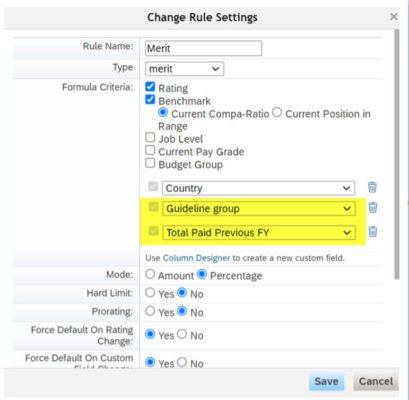
Guidelines in SAP SuccessFactors Compensation using entered or calculated values for compensation planning
CMP-27249
Guidelines in SAP SuccessFactors Compensation are used to show recommendations to managers based on defined criteria such as performance rating or country. With this new release, we can include calculated or editable fields as part of the guidelines. A group column can be referred to as a group grouping to show recommendations to managers.
Compensation plan template publishing to metadata framework (MDF)
CMP-27099
MDF object is a custom object where we can store data for different modules such as compensation. With this new feature, we can automatically publish back the data into this type of objects once compensation cycle is completed.
Multiple custom field selections when publishing back to employee central
CMP-24582, CMP-27815
In this new release of SAP SuccessFactors Compensation, we can now select several compensation fields to publish the results of the employees that only meet certain of these criteria.
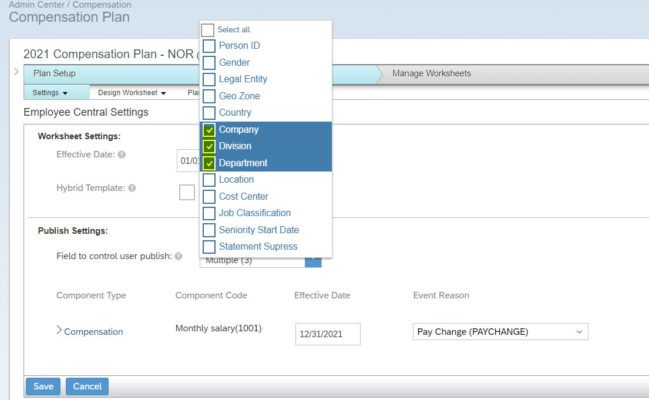
Selection of criteria
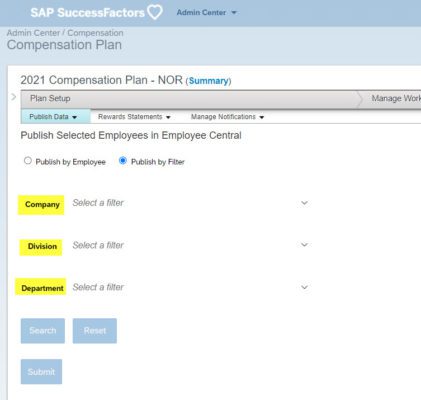
Filters
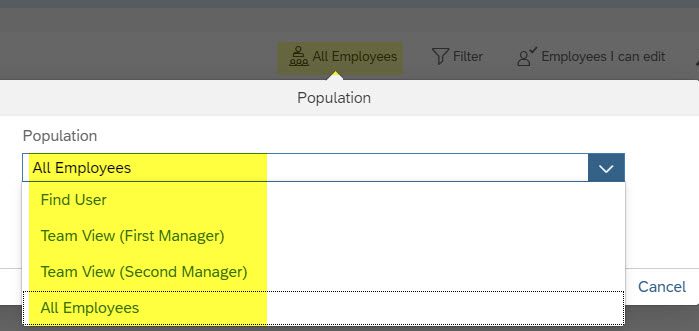
Define population views using manage advanced executive review filters
CMP-27330
Population views can now be chosen, making navigation options cleaner for compensation reviewers. We can, for instance, deactivate the matrix hierarchy view if matrix Managers are not a part of the process.
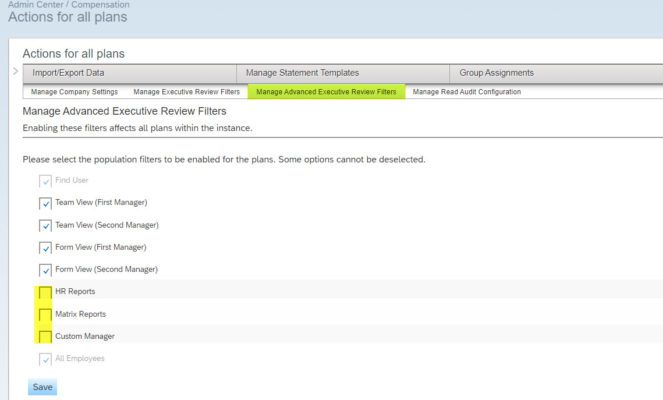
Filters
Show compensation recommendations outside of guidelines or salary range by using a filter in executive review
CMP-27521
A new standard filter is now available to better control pay distribution. As a result, we can have 3 new different views.
- Employees that are in guidelines and ranges (outside value = no)
- See all employees regardless guidelines and ranges (if we do not select it as filter criteria)
- Employees that are outside guidelines and pay ranges (if the value chosen below is “yes”)
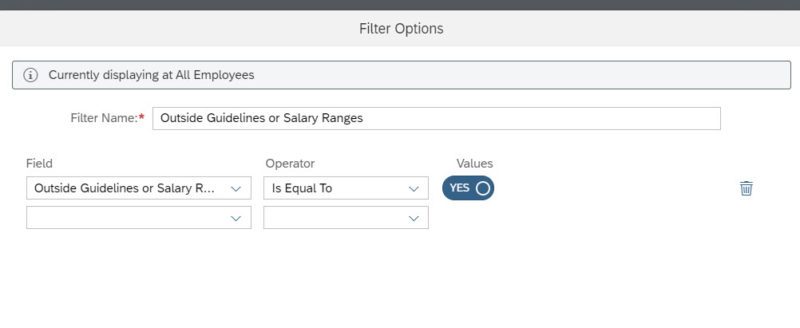
Filter options
Publish Values from the Compensation Worksheet to compInfo Fields
CMP-20356
Although there are still a few limitations, we can now publish results from compensation worksheet into Employee Central compensation information fields.
Improved Collaboration for Planners in Updating Worksheets
VRP-12131
As multiple planners can have access to the same worksheet, SAP has introduced a new button called "save and close". Each manager can click on it once salary recommendations are introduced and they will be redirected to their compensation inbox".
This new setting in SAP SuccessFactors Compensation will allow other managers to access the worksheet and not block their accesses anymore avoiding potential bottlenecks.


Lucia Jerez
Manager Solutions
I hope your company can benefit from these new features and take your compensation planning to next level! 😉 Please remember that they won’t be available in the production systems until November 19th 2021.
You can check the whole list of SAP SuccessFactors release features navigating to SAP “What’s New” page.
For more HR posts and industry trends, please do not hesitate to visit Sariba HR blog.
See you in our next post!
Kind regards, Lucia